Thailand TDAC: How to Fill the Digital Arrival Card
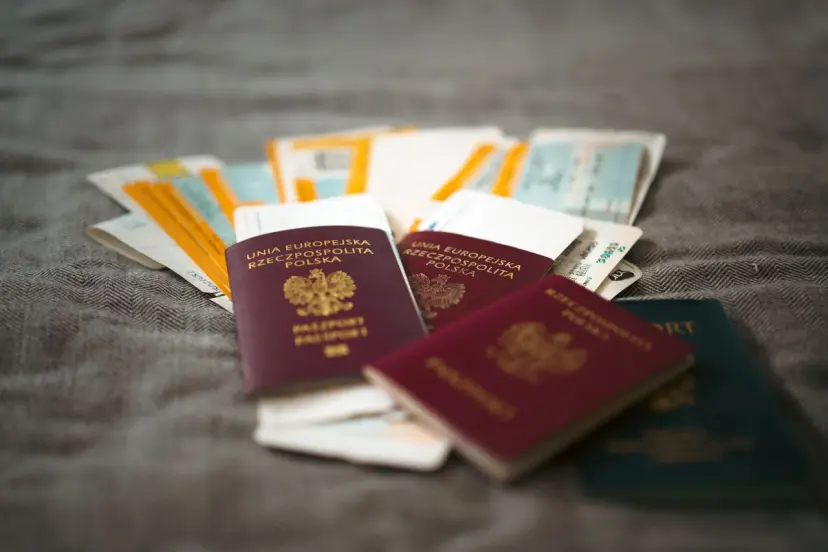
The Thailand Digital Arrival Card is free, mandatory for every non-Thai national entering Thailand, and must be submitted 3 days before your arrival date. You complete it at tdac.immigration.go.th, you get a QR code by email, and you show that at immigration. It takes about ten minutes.
The one thing worth knowing before you start: three fields cannot be changed after you submit. Get those wrong and you have to start a fresh submission. They are covered below.
The TDAC is not a visa and does not replace one. For entry rules, fees and how long Indians can stay, see our Thailand visa guide.
📌 Quick facts
Cost | Free |
Who needs it | Every non-Thai national, including infants |
When | 3 days in advance of your arrival date |
Where | |
Applies to | Air, land and sea arrivals |
What you get | A QR code, emailed to you |
Time to complete | Roughly 10 - 15 minutes |
Replaces | The old paper TM6 arrival card |
⚠️ Use only tdac.immigration.go.th. Several paid lookalike sites charge for what the Thai government provides free. There is no official fee, no expedited option, and no agent you need.
What to have ready before you start
The official guide lists five categories of information. Gather these first and the form takes ten minutes instead of thirty.
Passport information. Passport number, full name exactly as printed, nationality, date of birth, expiry date.
Personal information. Date of birth, gender, occupation, country of residence, phone number.
Travel information. Arrival date, flight or vehicle number, the country you boarded from, your mode of travel, and your purpose of visit.
Accommodation information in Thailand. The type of accommodation and its full address. Have your hotel booking open. If you are moving between hotels, you need the first one.
Not booked yet? You cannot complete the TDAC without a confirmed address.
We can put together your Thailand hotels and transfers around your dates, and send the confirmations you need for this form. Plan my Thailand trip →
Health declaration information. Only triggered in some cases, covered below.
Everything must be entered in English. The form will not accept other scripts.
What each field means
Most people do not get stuck on the process. They get stuck on a single field, staring at a box and wondering what Thai Immigration actually wants in it. Here are the ones that cause the most hesitation.
Family name and given name
Family name is your surname. Given name is everything else. Copy both exactly as they are printed in your passport, not as you normally write your name.
Open your passport to the photo page. Indian passports print these as two separate fields, "Surname" and "Given Name(s)". Whatever sits in the Surname field is your family name. Whatever sits in Given Name(s) is your given name. Do not reorder them, do not expand initials, and do not add or remove middle names.
If your passport has a blank surname field, which is common for holders from Tamil Nadu, Kerala and other parts of South India where initials are used instead of a family name, do not guess. Your name cannot be corrected after you submit, so a guess here is expensive. Email the Immigration Bureau at contact@tdac.immigration.go.th before submitting and ask how they want the fields completed for a passport with no surname.
This is the single most important field on the form, because it is one of only three that cannot be edited afterwards.
Country where you boarded
This is the country you flew out of on the flight that brings you into Thailand. It is not your nationality, and it is not necessarily where your journey began.
Delhi to Bangkok direct: India
Mumbai to Dubai to Bangkok: the United Arab Emirates, because Dubai is where you boarded the flight into Thailand
Kolkata to Singapore to Phuket: Singapore
If you are arriving overland from Malaysia or Laos, it is the country you crossed from.
The field matters more than it looks. Thai Immigration uses your boarding country, along with your nationality and flight, to decide whether to show you the health declaration section.
Countries you stayed in within two weeks before arrival
List every country you were physically in during the 14 days before you land in Thailand. Include your home country. Include countries where you only had a layover if you left the airport and entered the country.
For most Indian travellers flying direct this is simply India. If you have been travelling, list each one.
The Ministry of Public Health maintains a list of countries that trigger additional health questions. If any country you enter here is on that list, the form will prompt you for more health information. That is the only purpose of this field, and answering it accurately costs you nothing.
Occupation
This is a free text box, not a dropdown. There is no list to choose from. You type your occupation yourself. That surprises a lot of people, because most fields on this form are dropdowns. If you have been searching for the occupation options, there are none. Just type it. Keep it simple and in English. A plain job title is what Immigration is looking for: Engineer, Teacher, Student, Homemaker, Retired, Business, Doctor, Self-employed. There is no need for your full designation, your employer's name, or anything elaborate. "Software Engineer" is better than "Senior Technical Lead, Platform Engineering". Use the same description you have given on any visa application or other travel paperwork for this trip. Inconsistencies between documents are what create questions at the counter, not the job itself. Unlike your name, this field can be corrected later if you get it wrong.
Purpose of visit
Choose the option that matches the actual reason for your trip. For a holiday, that is the tourism option.
Be accurate here rather than convenient. Entering a tourism purpose while carrying documents that suggest you are travelling for work is the kind of inconsistency that draws questions at the immigration counter. The stated reason behind Thailand's 2026 rule tightening was illegal employment, and officers are alert to mismatches.
Accommodation type and address
Another dropdown for the type, hotel, guesthouse, apartment and so on, then the full address.
Enter your first night's accommodation. If you are moving between hotels or islands, Immigration wants where you are going tonight, not your full itinerary. You can update the address later if your booking changes.
You cannot leave this blank. The form requires a confirmed address, which is why booking accommodation has to happen before you fill the card, not after.
Flight or vehicle number
The flight number of the aircraft landing in Thailand, exactly as it appears on your ticket, including the airline code. For example, a Thai Airways flight would read TG316 rather than 316.
If you are arriving by land or sea, enter the vehicle, bus or vessel number instead.
This field can be updated if your flight changes, which is one of the most common reasons people use the update function.
A general rule for the whole form: everything must be entered in English, and the official guide asks you to recheck every field after using the MRZ scan, because auto-fill is not always perfect.
⚠️ The three fields you cannot change
Once you submit, these are locked:
Full name, as it appears in your passport
Nationality or citizenship
Date of birth
Everything else, including your flight, arrival date and accommodation, can be updated later. These three cannot. If you get one wrong you must complete a brand new submission.
So before you click Submit, read your name character by character against your passport. Indian passports frequently carry a surname in a separate field, initials rather than a full middle name, or a name printed differently from how you normally write it. Copy the passport, not your habit.
Step by step
1. Go to tdac.immigration.go.th and click "Arrival Card". There is a brief security check on the page before the buttons become active. Wait for it to clear.
2. Enter your personal and passport information, then click Continue. Rather than typing your passport details, you can scan the MRZ (the two lines of machine-readable text at the bottom of your passport photo page) or upload an image of it, and the system fills the fields automatically.
This is the single best time-saver in the form, and it also reduces typos in exactly the fields you cannot later correct. The official guide does add one warning: always recheck the data after retrieving it from the MRZ. Auto-fill is not always perfect.
3. Enter your trip and accommodation details, then click Continue. Dropdown tip from the official guide: type three characters and the system filters the options for you. Much faster than scrolling a list of every country or province.
4. Enter your health status information, if prompted. This step only appears if the Ministry of Public Health has listed the country you visited in the two weeks before arrival, the country you boarded from, your nationality, or your flight. Most travellers flying direct from India will not see it. If you do, answer it and click Preview.
5. Review everything. Click Edit on anything that needs fixing. This is your last chance on the three locked fields.
6. Enter your email address. This is where the card gets sent. Use an address you can access on your phone while travelling.
7. Tick the Terms and Conditions box, then click Submit.
8. Download your Thailand Digital Arrival Card. Save the PDF to your phone and screenshot the QR code as well. You can re-download it from the email at any point during your stay.
Save it offline. Airport wifi at Suvarnabhumi and Don Mueang is unreliable, and the immigration queue is a bad place to discover you cannot load your email.
Travelling as a family or group
The TDAC supports group submission of up to 10 people per submission, which saves considerable time for families travelling together.
Every traveller needs their own card, including infants and children. There is no combined family card. Group submission simply lets you complete them in one session rather than starting over ten times.
If your group is larger than 10, split it across multiple submissions.
How to fix a mistake
You can update a submitted card any time before you travel, as long as the error is not in one of the three locked fields.
Click "Update Arrival Card" on the homepage
Enter your TH Digital Arrival Card number, date of birth and nationality
Click Search
Correct the details, use Previous to step back or Cancel to exit without saving
Review, enter your email, accept the terms and submit again
Download the updated card
This is what you use when your flight changes or you switch hotels. Both are common and neither is a problem.
If the error is in your name, nationality or date of birth, do not try to update. Start a new submission.
Common mistakes
Leaving it too late. The requirement is 3 days in advance. Do it when you check in online, or set a reminder.
Paying a lookalike site. If you were charged, you were not on the government portal.
Assuming children are exempt. They are not. One card per person, whatever their age.
Name mismatches. The most expensive mistake, because it cannot be edited.
Not saving it offline. A QR code you cannot open is a QR code you do not have.
Thinking it is a visa. It is not, and it grants you nothing. The official guide states this explicitly.
One more thing: the 90-day rule
The same official notice that sets out the TDAC requirement carries a rule most travellers never see, because most trips are short.
If you stay in Thailand longer than 90 days, you must notify the nearest Immigration office in writing about your place of stay, as soon as your 90 days expire, and repeat that every 90 days.
Irrelevant for a one-week holiday. Important if you are on a long-stay visa.
Sources
Thailand Immigration Bureau, official TDAC portal. Submission requirement, 3-day window, and confirmation that no fee applies. Checked 17 August 2026. https://tdac.immigration.go.th
Thailand Immigration Bureau, TDAC User's Guide version 1.18 for application version 2026.08.00. Step-by-step process, required information categories, group submission limit, and the list of non-editable fields. Checked 17 August 2026. https://tdac.immigration.go.th/manual/en/index.html
Immigration Act B.E. 2522, as cited in the official TDAC notice, for the 90-day reporting requirement.
This guide is for general information. Entry rules change without notice, so always confirm on the official portal before you travel.
Frequently asked questions
Is the TDAC free?
Yes. The official portal is titled "No Fees Required." Any site charging you is not the government.
How many days before arrival can I submit?
3 days in advance of your arrival date, per Thai Immigration's official notice.
Do children and infants need a TDAC?
Yes, every non-Thai national needs their own, regardless of age.
Can I change my flight details after submitting?
Yes, using "Update Arrival Card". You cannot change your name, nationality or date of birth.
Is the TDAC a visa?
No. The official guide states plainly that it is not a visa. Whether you need one is a separate question, covered in our Thailand visa guide.
Do I need it if I arrive by land from Malaysia or Laos?
Yes. It applies to arrivals by air, land and sea.
What if I do not have a printer?
You do not need one. Save the PDF and screenshot the QR code on your phone.
About the author

Amit Aswal
Amit Aswal writes TravelBudie, drawing on years working in travel and hospitality and on trips he plans and takes himself. Destination guides and itineraries are based on firsthand travel. Visa, entry and regulatory guides are researched against official government sources and re-verified on a published schedule, and each one shows the date it was last checked.
Stay in the loop
Enjoy our travel stories? Add Travelbudie as a preferred source on Google.
You'll see more of our guides and tips when you search for travel inspiration.
Add as a preferred source on GoogleYour trip, your way
Ready to turn inspiration into an itinerary?
Tell us your dates, budget, and travel style — our team will craft a personalised trip plan built around what matters to you.
Your trip, your way
Ready to turn inspiration into an itinerary?
Tell us your dates, budget, and travel style — our team will craft a personalised trip plan built around what matters to you.
Travel inspiration
Get guides & deals in your inbox
Destination tips, seasonal itineraries, and exclusive offers — no spam, unsubscribe anytime.